ToyTool Firmware
SmallTV watch face format reference (JSON)
Every field of a ToyTool watch face for the GeekMagic SmallTV-Ultra: backgrounds, colours, the 14 element types, live-data variables and limits.
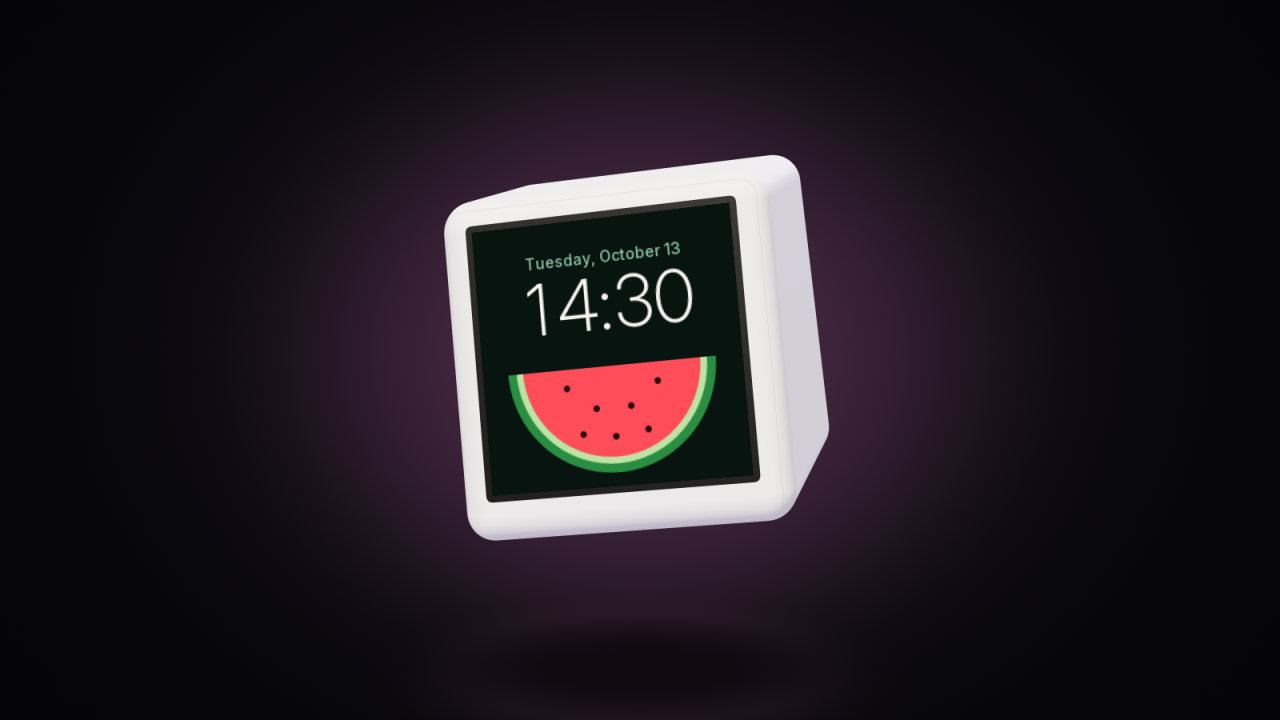
A watch face for ToyTool Firmware is one JSON file of up to 8 KB, plus optional pictures. There’s no code in it: the firmware draws the elements the file describes and fills in live data — the time, the weather, rates, YouTube, Notion tasks, your own widgets. That’s why any face is safe for the screen.
The screen is 240×240; coordinates are pixels from the top-left corner, and the centre is (120, 120). The easiest way to make a face is ToyTool Studio, which draws with the firmware’s own code — see Build your own watch face. This page is the format itself, as of firmware 1.19.
The skeleton
{
  "id": "dunes",
  "name": "Dunes",
  "author": "Victor Painer",
  "desc": "An illustration in the background, large time",
  "tick": false,
  "bg": { "image": "bg" },
  "el": [
    { "t": "text", "x": 18, "y": 112, "font": "watch", "text": "{hh}:{mm}", "color": "#FFF4EA" }
  ]
}
| Field | Meaning |
|---|---|
id | The face’s file name on the screen: 1–12 characters a-z, 0-9, -. Installing the same id again replaces the face |
name | Its name in your ToyTool account and the store (up to 31 bytes) |
author, desc | For the store page only; the screen doesn’t keep them |
name_en, desc_en, author_en | The same in English: shown to English-language screens and pages (without them the plain fields are used) |
tick | true: redraw every second (a seconds hand, {ss}). Leave it off when you don’t need it — the screen is busy for longer |
bg | The background, see below |
el | The elements, drawn in order (the last one on top). At most 28 |
All the strings of the elements together — texts, picture names, variables — may take about 800 bytes, in each language.
Background: bg
| Kind | Example |
|---|---|
| The page’s background, chosen in the screen settings | "bg": "page", or no bg at all |
| A preset | {"preset": 2} — 0 weather sky, 1 black, 2 sunset, 3 ocean, 4 aurora, 5 lava, 6 lavender, 7 from the accent colour |
| A solid colour | {"color": "#0b0d12"} |
| Colour blobs (a mesh) | {"base": "#04050a", "blobs": [[30, 20, 210, "#1c3a6e", 210], …]} — up to 3 blobs [x, y, radius, colour, strength 0–255] |
| A picture | {"image": "bg"} — the picture bg from the face’s folder (240×240) |
With "turn": "h" (or "m") next to the blobs (firmware 1.19+), the blobs go round the centre of the screen with the
hour (or minute) hand, clockwise: place them as they should be at 12 o’clock. That’s how the
Glow face keeps its warm side where the hour hand points. Older firmware ignores it and keeps
the background still.
The screen is very bright: dark tones look lighter on it than in a preview. For backgrounds use saturated but dark colours, and light text.
Colours
"#RRGGBB", or a theme word that follows the accent and theme the owner picks in the screen settings:
fg main text · dim secondary · faint barely visible · line dividers · accent the owner’s accent ·
bg the background colour · trend green or red, following the first rate’s change.
alpha (0–255) sets an element’s opacity.
Elements
Common fields: t the type, x, y, color (default fg), alpha, when.
when (firmware 1.19+) draws the element only while a condition on a variable holds: "when": "h12=10". The form is
<variable><sign><value>, with = (or ==), !=, <, <=, > and >=. The variable is read as the text a
{…} would show (h12 → “10”, temp → “+18°”, moon_lit → “8%”); numbers compare as numbers, anything else as
words ("wd=Sun", in the screen’s language). Shares such as day_p have no text and compare as 0 to 1. A variable
without data holds only for !=, and conditions count toward the text limit. Older firmware ignores when and always
draws the element, so put conditional elements on top of ones that are always there: Rim draws
twelve quiet grey numerals and over them twelve white ones, each with its own "when": "h12=N" — on older firmware
every numeral is white.
text — text from a template
{ "t": "text", "x": 120, "y": 74, "font": "small", "align": "c", "text": "{WD} {day}", "color": "accent", "n": 1 }yis the baseline (the bottom of letters without tails), not the top.font:clock88 px thin,watch66 px bold (digits and “:” only),huge64 px,big34 px (digits and+ − . , : % ° $ € ₽ ₾ k K M B),title22 px,body18 px,small14 px (the last three have full Latin and Cyrillic).align:l,corr, relative tox.n: tracking, the extra space between letters in pixels; negative is fine (-1for large digits).w: a box width — longer text ends with an ellipsis. With"lines": 2(or more) it wraps at word boundaries.text_en: the same text in English, with the same variables. A screen set to English draws it; otherwisetext. Weekdays, months and weather inside variables come out in the screen’s language by themselves; the English must fit in the same space.
rect, circle, line
{ "t": "rect", "x": 14, "y": 150, "w": 212, "h": 70, "r": 16, "color": "#ffffff", "alpha": 18 }
{ "t": "circle", "x": 120, "y": 120, "r": 4, "color": "accent" }
{ "t": "line", "x": 20, "y": 140, "x2": 220, "y2": 140, "width": 1, "color": "line" }
ring — a progress ring
Fills clockwise from 12 o’clock; when the face appears it sweeps in smoothly. trackAlpha is the brightness of the
track underneath (0 for none, 60 by default).
{ "t": "ring", "x": 120, "y": 120, "r": 100, "width": 10, "v": "day_p", "color": "accent", "trackAlpha": 50 }arc — a static arc
a0, a1 are angles in degrees: 0 is the top, clockwise.
{ "t": "arc", "x": 120, "y": 120, "r": 90, "width": 3, "a0": -120, "a1": 120 }gauge — a scale with a gradient and a dot
An arc from a0 to a1 blending from color to color2, with a dot at the value v.
{ "t": "gauge", "x": 120, "y": 128, "r": 80, "width": 8, "a0": -125, "a1": 125, "v": "temp", "min": -10, "max": 35, "color": "#5ab0ff", "color2": "#ff8a3d" }bar — a progress bar
{ "t": "bar", "x": 30, "y": 200, "w": 180, "h": 6, "v": "todo_p", "color": "accent", "trackAlpha": 40 }ticks — dial marks
n marks around a circle of radius r, each h long; every major-th one is longer, thicker and in color2.
{ "t": "ticks", "x": 120, "y": 120, "r": 113, "h": 6, "n": 60, "major": 5, "width": 1.3, "color": "faint", "color2": "fg" }hand — a clock hand
kind: h hour, m minute, s second (the seconds hand needs "tick": true). r is the length, h the tail
past the centre.
{ "t": "hand", "kind": "m", "x": 120, "y": 120, "r": 86, "h": 12, "width": 4.5, "color": "fg" }icon
name: weather (an animated icon of the current weather), yt, check, warn, eye. x, y is the centre,
r the size (28 by default).
spark — a mini chart
src: hourly — the temperature over the next hours; anything else — the history of the first rate. A rectangle
x, y, w, h and a line width.
image — a picture
{ "t": "image", "name": "logo", "x": 20, "y": 20 }This draws the picture logo from the face’s folder. With "r": 1 a square
picture is drawn as a circle. Names starting with @ are the screen’s own pictures: @yt0a and @yt1a the avatars
of the first and second YouTube channels, @yt0 the first channel’s latest video thumbnail, @photo0 the first
photo of the photo frame.
With "shade" (firmware 1.19+), the picture is a sphere — the circle that fills it, plus a thin glow around it — lit by
the Sun as it is right now. The screen works it out from its own clock and date, no network needed:
"shade": "moon"— the Moon in tonight’s phase; the picture is a full moon. It’s drawn as seen from the northern hemisphere: a waxing moon is lit on the right. The dark side keeps a little earthshine."shade": "earth", "lon": 25, "lat": 20— the Earth with night where it’s night;lonandlatare the point in the middle of the picture, which shows the whole Earth lit in an orthographic view, north up. The edge is soft (twilight), and the night side stays faintly visible.
The formulas are low-precision ones (Meeus, Astronomical Algorithms): the phase to a few hours, the day–night line to about a degree. Older firmware draws the picture as it is. Examples: Phase and Globe.
sprite — animated pixel art (firmware 1.14+)
{ "t": "sprite", "name": "pet", "x": 48, "y": 2, "w": 24, "h": 22, "s": 6, "n": 10, "fps": 6, "v": "w_cc_st", "row": 3 }The picture name is a sprite sheet: frames of w×h pixels go left to right (n of them), and every row of the
sheet is a separate state. Each pixel is drawn as an s×s square, and frames change fps times a second. The row
is chosen by the text variable v when it holds a number (for example {w_cc_st}, a state sent by a widget); when
it’s empty, by row. The colour key (#FF00FF by default) is transparent. Draw in flat colours: when the picture
is converted for the screen it’s dithered, and in-between shades turn speckled. The studio doesn’t add sprites yet;
write them in the Code tab.
Variables
In text: {name}
| Time and date | |
|---|---|
{hh} {mm} {ss} | hours, minutes, seconds with a leading zero |
{h} {time} | the hour without a zero · “13:41” |
{h12} | the hour on a 12-hour dial: 1…12 (firmware 1.19+) |
{day} {month} {month_gen} {year} | 13 · October · the month as used in dates (differs in Russian) · 2026 |
{wd} {WD} {weekday} {date} | Tue · TUE · Tuesday · October 13 |
| The Moon (firmware 1.19+; worked out on the screen) | |
|---|---|
{moon_phase} | “Waxing crescent”: new moon, waxing crescent, first quarter, waxing gibbous, full moon, waning gibbous, last quarter, waning crescent |
{moon_day} | the lunar day, 1…30 (day 1 starts at the new moon) |
{moon_lit} | how much of the disc is lit: “8%” |
| Weather | |
|---|---|
{temp} {temp_n} {feels} | +22° · 22° · feels like |
{tmin} {tmax} | today’s low and high |
{cond} {hum} {rain} {wind} | “Clear” · humidity % · chance of rain % · wind in m/s |
{city} | the city from the settings |
Rates (r0 … r3 — in the order of the screen’s pairs) | |
|---|---|
{r0} | the value |
{r0_l} {r0_q} {r0_pair} | “USD” · “€” · “USD/EUR” |
{r0_c} | the change: against the previous trading day for currencies, over 24 hours for crypto (“+0.4%”) |
| YouTube (the first channel) | |
|---|---|
{yt_name} {yt_subs} {yt_subs_k} | the channel name · 12,345 · 12.3K (round numbers: 10K) |
{yt_views} {yt_today} {yt_goal} | total views · views gained today · the next milestone |
{yt_video} {yt_video_views} | the latest video’s title and its views |
| Tasks and countdown | |
|---|---|
{todo_next} {todo_time} | the next unfinished task and its time |
{todo_done} {todo_total} {todo_left} | counters |
{cd_title} {cd_days} | the countdown’s event and the days left |
Your widgets (<id> — a widget sent to the screen’s API) | |
|---|---|
{w_<id>} {w_<id>_u} | the value and the unit (“42”, “%”) |
{w_<id>_t} {w_<id>_s} {w_<id>_st} | the title, the caption, the state (a short word or a number — for sprite) |
{w_<id>_0} … {w_<id>_4}, {w_<id>_0l} … {w_<id>_4l} | the value and the label of rows 0…4 |
A widget id used in variables should be letters and digits only: the name is split at the first underscore. How to send widgets is in the widget API guide.
When there’s no data (no network, YouTube not connected), a variable is empty. Leave room for that, and don’t make a data variable the face’s main element.
In rings, bars and gauges: "v"
Shares from 0 to 1: day_p, week_p, month_p, year_p (the part that has passed), sec_p, min_p, moon_p
(the lunar month so far: new moon 0, full moon 0.5) and moon_lit (the lit part of the disc) from firmware 1.19, yt_p
(subscribers toward the next milestone), todo_p (tasks done), temp_p (the temperature between today’s low and
high), w_<id> (a widget’s progress), w_<id>_0 … w_<id>_4 (the number at the start of a row’s value, read as a
percent: “64%” → 0.64).
Raw numbers with a min/max range: temp, hum, r0.
Pictures
A face’s pictures are PNG or JPG, up to 240×240, named with up to 8 Latin letters and digits. The studio converts them to the screen’s format (RGB565) and sends them with the face. A 240×240 picture takes 112 KB of the screen’s flash memory, a smaller one proportionally less.
Files and installing
The studio’s Download file saves
<id>.smalltv.json, with the pictures as base64 RGB565 (big-endian); Open file… reads such a file or a bare face JSON. Its shape:{ "format": "smalltv-face", "face": { … }, "assets": { "bg": { "w": 240, "h": 240, "b64": "…" } } }- Send to screen in the studio installs a face: it’s saved to My faces in your account and reaches the screen within seconds.
- A screen holds up to 8 store and custom faces at once. Each installed face is an entry of its own in the screen’s rotation, with its own switch, time and place.
Sources: docs/faces.md, checked against the parser (src/face/face.cpp) and the renderer (src/ui/ui.cpp) of firmware 1.19.
Read next
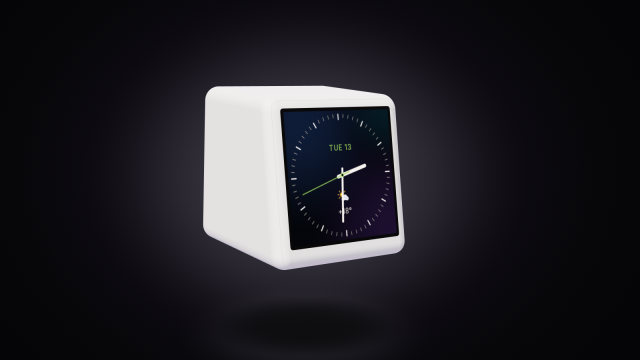 Build your own watch face for the SmallTV-UltraDesign a custom watch face for the GeekMagic SmallTV-Ultra in ToyTool Studio or as JSON: elements, live data, recolouring store faces, limits.
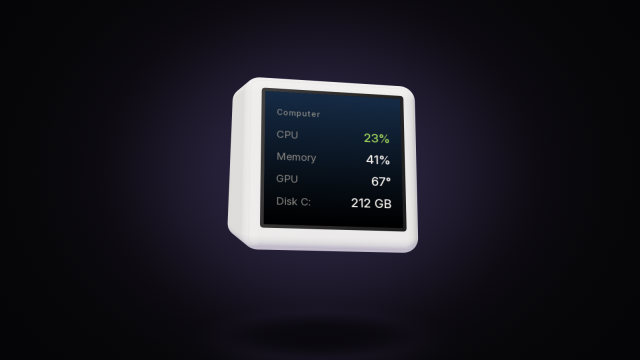 SmallTV-Ultra API: push widgets from your scriptsSend numbers, lists, notes and notifications to a GeekMagic SmallTV-Ultra from any script over your home network, with curl, Python and Node examples.